
Fast
Loads instantly on a phone, even on patchy mobile signal. No spinner, no delay between clicks. Designed mobile-first because most invoicing happens from a phone between jobs.
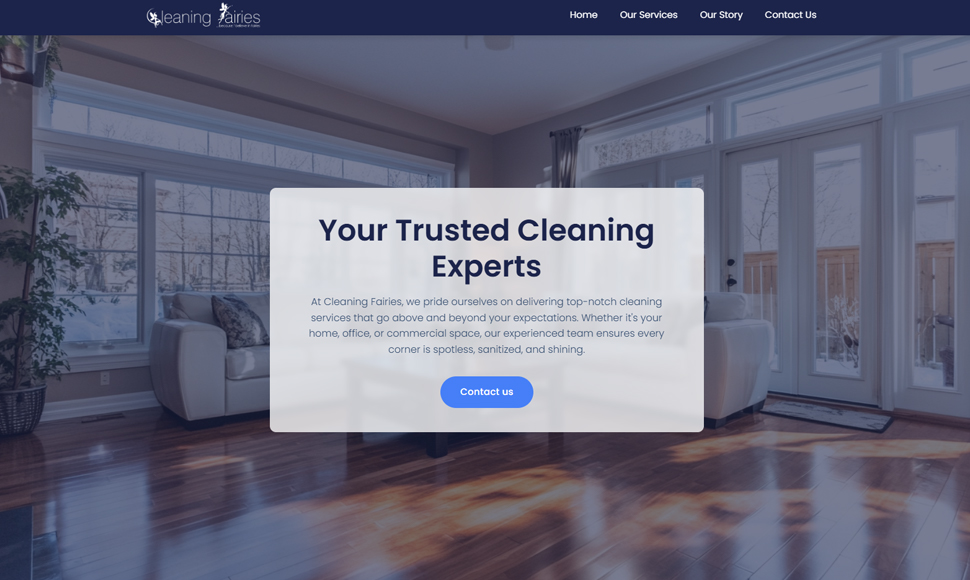
Case study · 1 day build
A Bristol-based cleaning company running on Excel invoice templates, a half-used QuickBooks subscription, and a paper diary. End-to-end custom admin app delivered in 24 hours. £200/month in SaaS bills retired.
The problem
The owner ran a successful cleaning business and was losing two evenings a week to admin. Excel held an inconsistent client list and an even-more-inconsistent invoice template. QuickBooks held bookkeeping but invoicing through it was clunky enough that they kept exporting back to Excel. Recurring jobs lived in a paper diary that risked getting wet, lost, or out of date. Mark-as-paid status drifted constantly because there was no single source of truth — three places to update for every invoice. Late payments were missed because nobody had a clean “what’s outstanding right now?” view.
The approach
Discovery call established the real shape: one user, one role, one source of truth. Not multi-tenant. Not SaaS-grade. Not infinitely-configurable. Just a single small admin app for one business, hosted on a domain they already owned. That radically simplifies the build — no organisation switching, no role permissions, no team invites. Locked the scope to: clients, items catalog, invoices, recurring schedules, dashboard, mark-paid. Quoted fixed. Built and deployed in 24 hours, end-to-end, with the owner using it the following morning.
Built right
A custom admin app built specifically for one business. It lives on the client's own webspace, runs on the client's own domain, and sends email from the client's own address. No SaaS login. No subscription. No vendor that can change the price or close the doors. The whole thing was designed to be quiet, reliable, and out of the way — so the owner can run their business instead of operating a piece of software.
Loads instantly on a phone, even on patchy mobile signal. No spinner, no delay between clicks. Designed mobile-first because most invoicing happens from a phone between jobs.
Properly hashed passwords, encrypted connection, sensible session expiry. The kind of basic security that surprisingly few small-business tools actually get right.
Built from rock-solid components that have been running unchanged for a decade. No experimental frameworks, no auto-updating dependencies that quietly break on a Sunday night.
The client owns the code outright. If they ever want to move it, modify it, or hand it to another developer, they can — no paywall, no lock-in, no permission needed.
What shipped
Five core surfaces, each one minimal but complete, all wired together with one consistent dashboard above them.
First view after login. Shows what's unpaid, due dates highlighted, total outstanding figure at the top. The number that actually matters every Monday morning.
Add, edit, archive. Pre-imported from the existing Excel sheet via a one-off script. Includes service notes (gate code, dog, keysafe, preferred slot) so the owner stops re-asking on every booking.
Imported the canonical price list directly from the cleaningfairies.co.uk website. Add any item to an invoice by name; price flows in automatically. Discount % per invoice supported.
Create, edit, generate PDF, email to client, mark paid with a date picker (not "paid today", because real life). Statuses: outstanding, paid, overdue. Auto-numbered.
Set up a regular invoice once — weekly, fortnightly, monthly, or any custom rhythm — and the system generates the next one automatically, every time, overnight. No reminders, no missed cycles.
Identical to the owner's hand-crafted invoice layout. Logo, business address, line items, totals, payment terms, “BACS to ...” footer block. Looks like proper, established-business work — not a Word template.
Outcome
QuickBooks subscription cancelled (around £30/month at the time). The Excel templates archived for reference only. The paper diary photographed once and binned. Total monthly software bill for invoicing and client tracking went from roughly £40-50 to £0 (the app runs on the existing website hosting at no extra cost). Admin time for invoicing dropped from an estimated 4-6 hours/week to under an hour — most of which is just clicking “mark paid” on the dashboard. Late payments dropped because the outstanding view is the first screen the owner sees on login.
What I'd do differently
The first version shipped without the recurring schedules — that was a follow-up build a few weeks later. In hindsight that was a mistake: recurring billing is the single feature that converts the tool from “admin still happens, just in a nicer interface” into “admin mostly happens by itself”. Should have been there on day one. Lesson banked for the next build: ship the automation half first, even if the manual half is rougher around the edges.
Want one of these?
If you're paying for three or four overlapping tools that each only do part of what you need, the maths usually favours a one-off custom build. Quoted fixed-price after a free 15-minute discovery call. Typical admin apps land between £1,500 and £4,000, paid back inside 6-12 months.